What is Multifactor Authentication (MFA)?
Multifactor Authentication (MFA) is an added layer of protection to online accounts and systems requiring users to provide multiple forms of identification when logging in, making it significantly more difficult for unauthorized individuals to gain access.
Our billing vendor has added this additional protection to all billing accounts as of late August 2025.
Initial setup of Multi-Factor Verification Method:
Login to your account using your existing username and password, you will then be required to choose a verification method.
Please note: The verification method chosen will be used each time you login to your account going forward.
If a change is needed in the method chosen after initial setup, please contact lia@lawyersmutualnc.com and request a “MFA Reset” for your id and include your username in the request
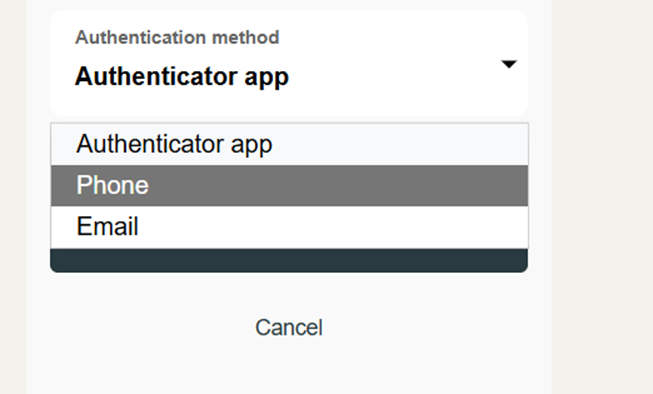
Click the down arrow beside the Authentication method to see all options available for setup:
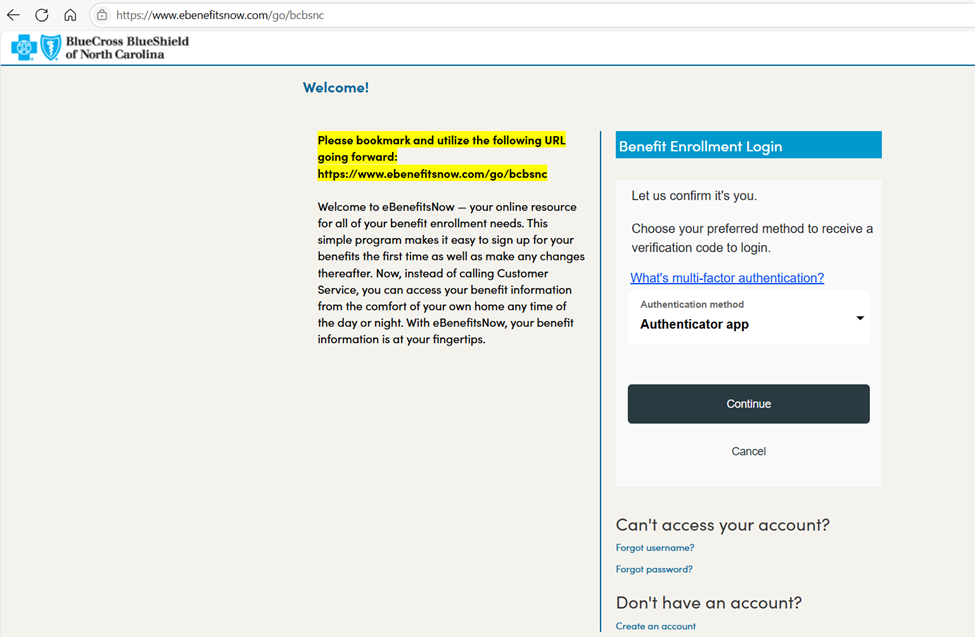
Options available are:
-Authenticator App (you must download a separate app if you do not already have one set up)
-Phone (text or call)
-Email
Option 1: Authenticator App
Authenticator Apps generate one-time passwords that are used as a second factor in addition to the account password.
There are numerous authenticator apps on the market that can be used. If you do not already have an app set up, a commonly used one is the Salesforce Authenticator app which is available for download through the App Store or Google Play.
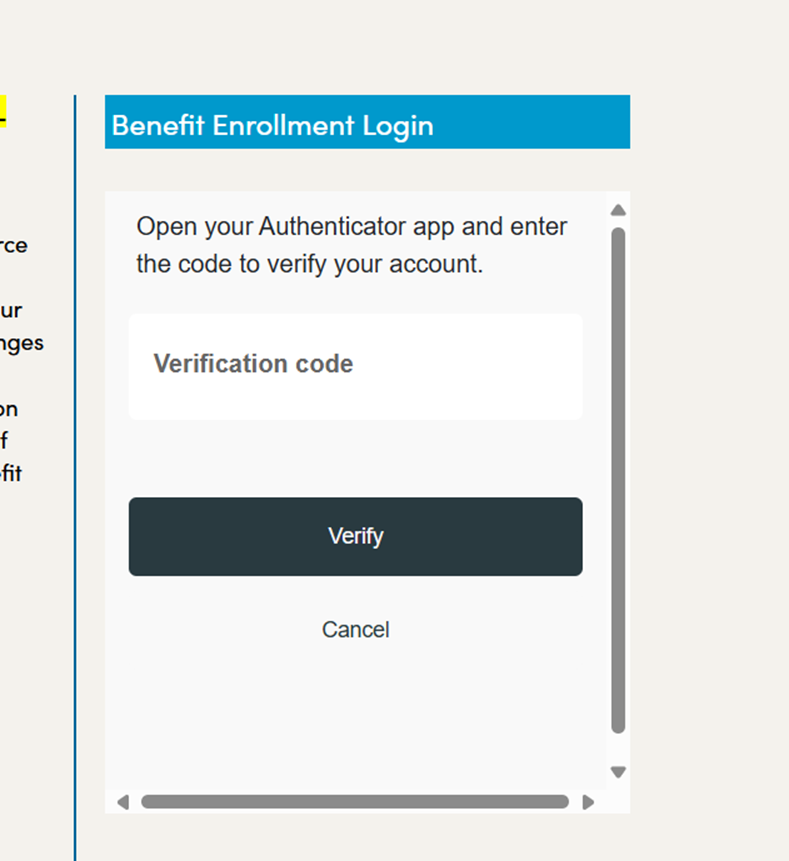
Use the app to receive a code to enter for verification and follow the instructions on your mobile device to complete setup.
You will enter the code shown for “Benefitplace” in your authenticator app and click “Verify”:
Option 2: Phone
Enter your 10 digit phone number and select either the “Call me” or “Text me” method.
*The method selected will be used for all logins going forward.
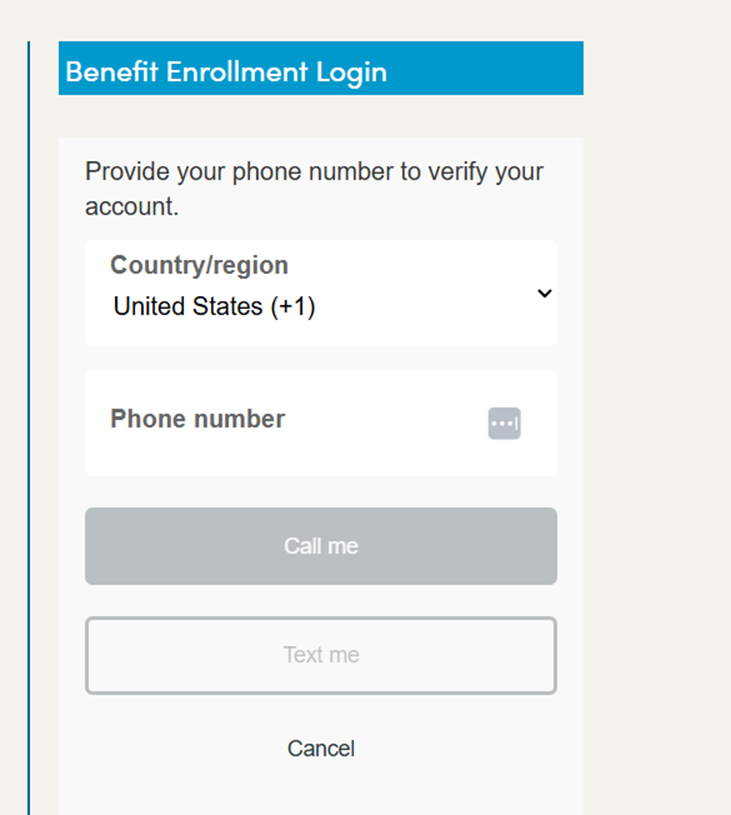
Verification codes do time out after 15 minutes, please enter once received.
Option 3: Email
The screen will pre-load with the email of record for the administrator of the account that is stored in the Benefit Focus system.
If this is not the email that is desired to be used for verification purposes at each login, the email can be typed over with the desired email at initial setup.
**After the initial setup if a different email is desired, please contact lia@lawyersmutualnc.com and request a “MFA reset” for your id (please include the username in the request).
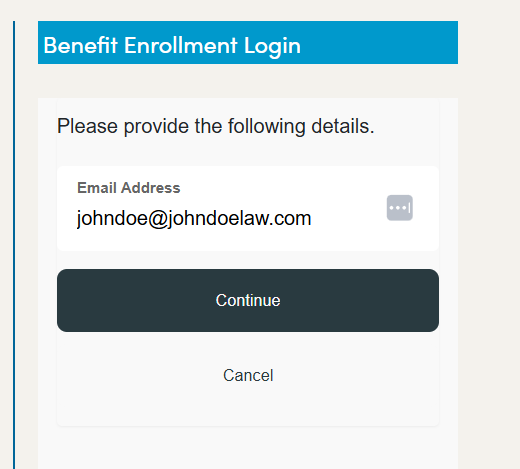
Verification codes will be sent to the email address provided and the sender email will be msonlineservicesteam@microsoftonline.com with the email subject line “Benefitplace account email verification code”. Please check junk mail if not received within a few minutes. Verification codes do time out after 15 minutes.
Reset Password
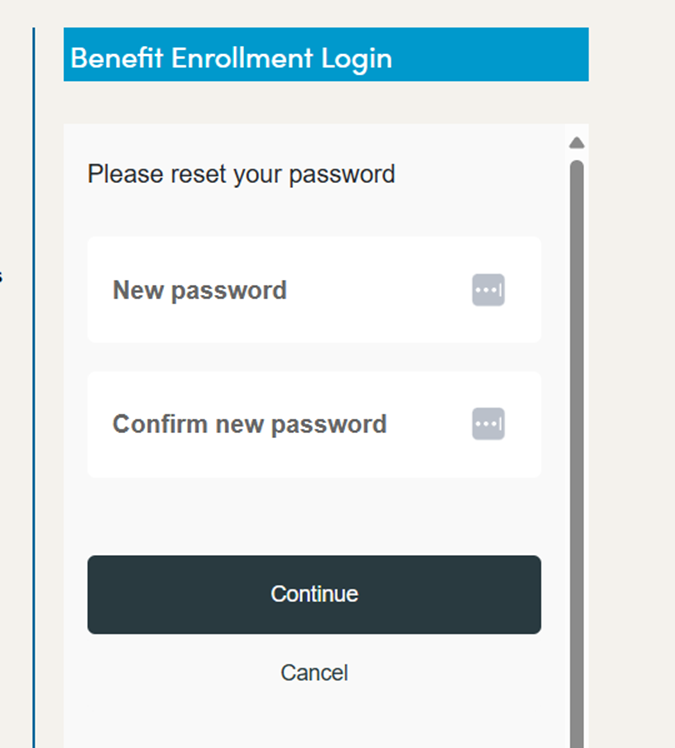
After the MFA has been set up you will be directed to reset your password.
** Passwords MUST be 12 characters in length and include:
-an upper alpha
-a lower alpha
-a numeric
-a special character
If after resetting your password you are still unable to login to your account, please contact lia@lawyersmutualnc.com and request a password reset by our admin team (please include your username)