How do I confirm if recurring payments are enabled?
First, go to https://www.ebenefitsnow.com/go/bcbsnc and log in using the UserId and Password provided by Lawyers Insurance.
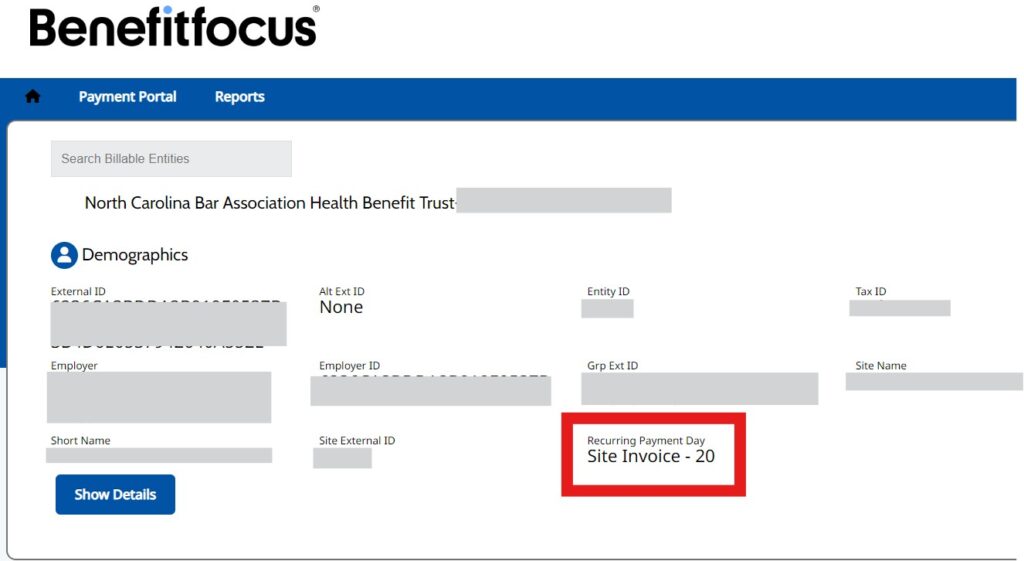
You will be at the Home Page which will display system information about your firm.
If your firm is set up to use recurring payments, the area marked in red below will display as shown. If there is not a “Recurring Payment Day” heading with “Site-Invoice-20” beneath, then the firm is not set up on recurring payments.
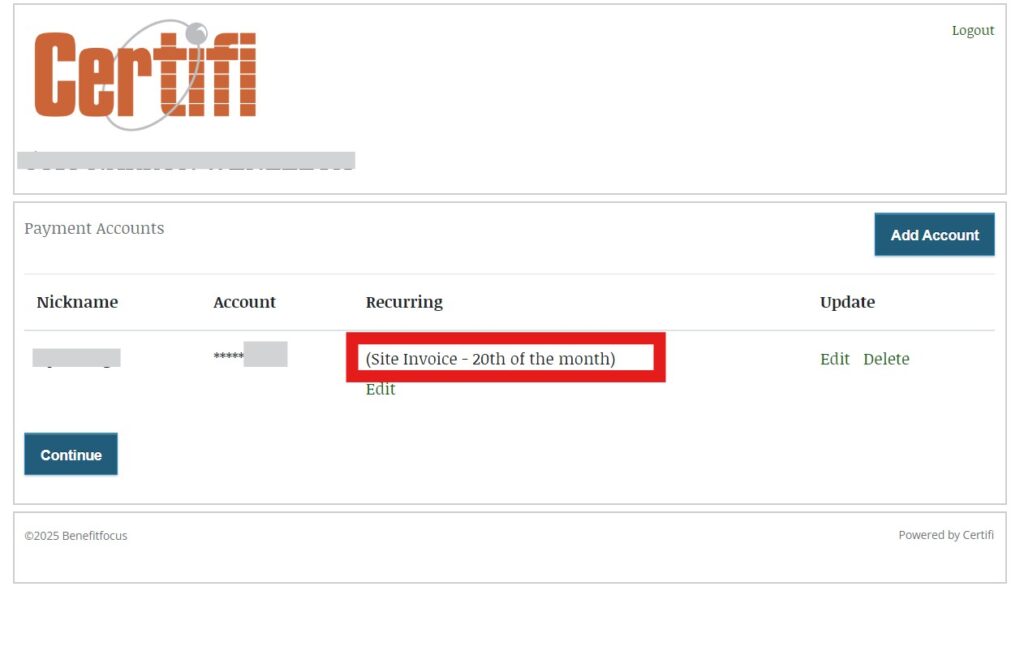
To confirm the account being used for recurring payments:
- Click on “Payment Portal”
- Click on “Manage Accounts”
- The list of accounts you have entered will display: If one is being used for recurring payments it will show “(Site Invoice – 20th of the month)” in the Recurring column.
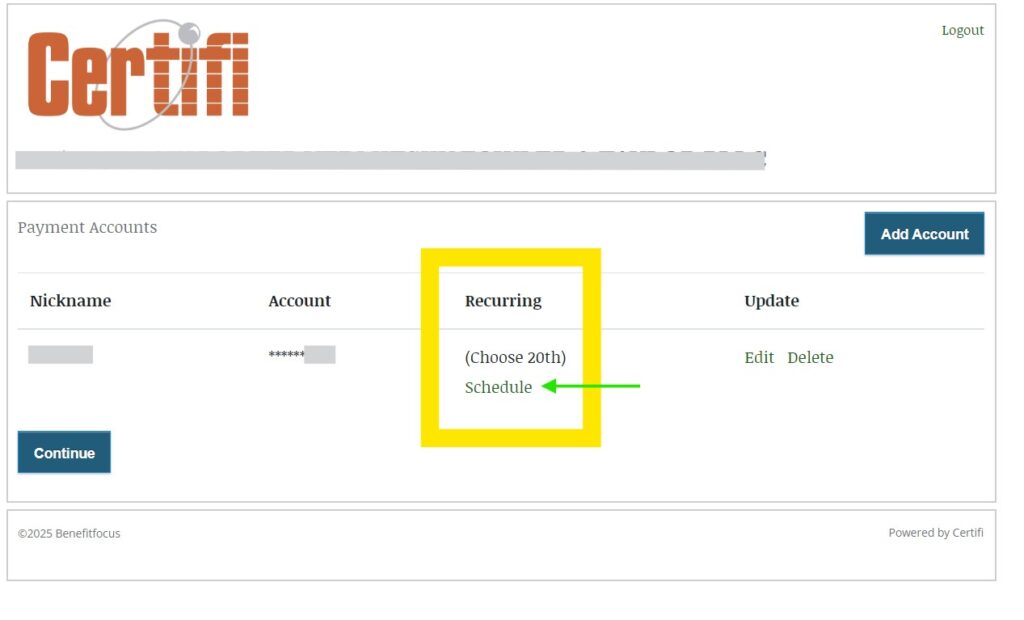
If all accounts available display “Choose 20th” as follows, they are NOT set up to be used for recurring payments. You may click “Schedule” (marked by the green arrow) beneath the account and follow prompts to set up the account for use as a recurring payment.