
How do I add a Payment Account?
- First, go to https://www.ebenefitsnow.com/go/bcbsnc and log in using the UserId and Password provided by Lawyers Insurance.
- You will be at the Home Page which will display system information about your firm.
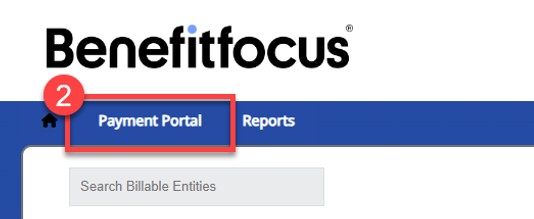
- The Payment Portal (marked 2) is where you can pay your invoice.
Click on “Payment Portal” on the Billing Portal Home Page:
**Please verify that on the Payment Portal Home Page your firm number is displayed at the top of the page and Invoice Type is listed as “Site Invoice” before proceeding**
Ex:
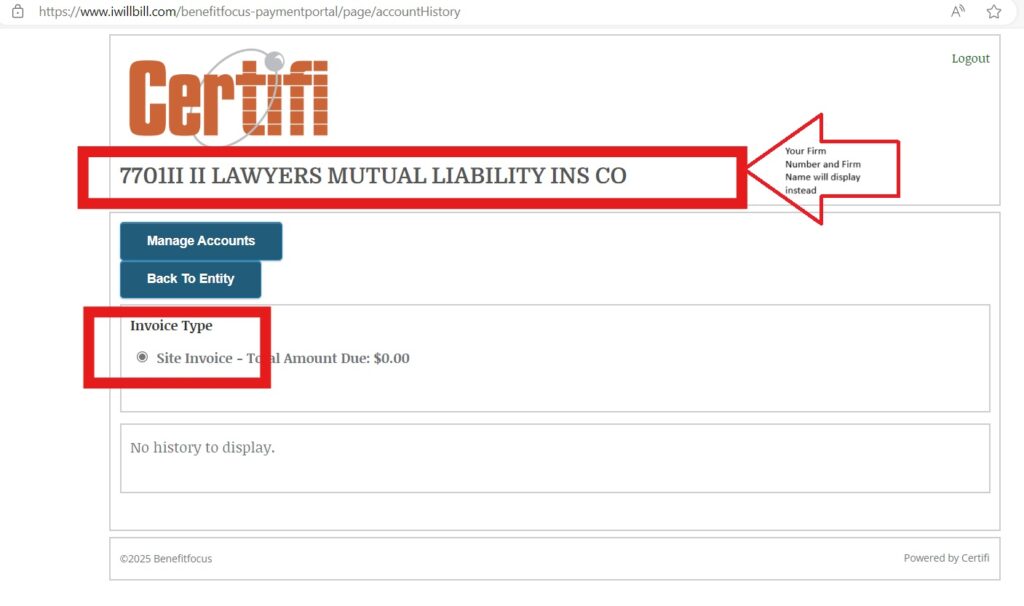
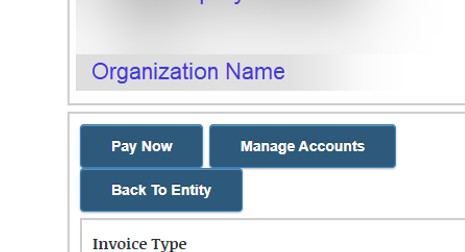
On the Payment Portal Home Page select “Manage Accounts”
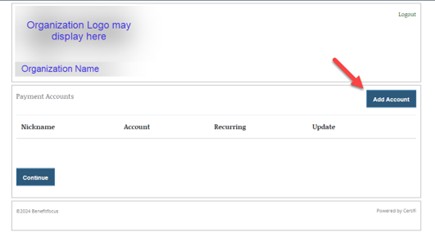
Click “Add Account”
A form will be displayed to enter your account information. Please enter all fields.
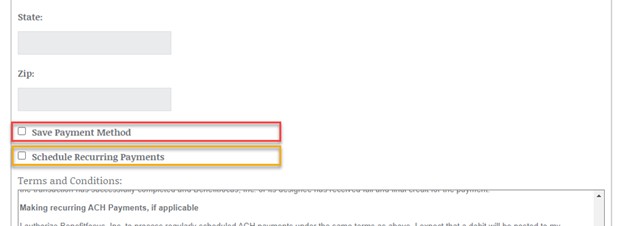
Once data is entered, there are two check boxes below:
“Save Payment Method” will save the entered account information only- no payments will be pulled unless initiated by an authorized user from your organization using the “Pay Now” page.
“Schedule Recurring Payments” when checked will enable funds to be automatically debited from your ACH account on the Due Date without requiring an authorized user to initiate payment each month.
If you desire recurring payments to be enabled, please ensure that the checkbox is marked beside “Schedule Recurring Payments”.
Recurring payments are submitted for processing on the 20th of the month and will clear the bank typically 1-3 business days later.
After submitting your account information, it will be saved in the portal and displayed as shown here.
You can edit or delete the saved payment method at any time by clicking on the green “Edit” or green “Delete” in the “Update” Column.
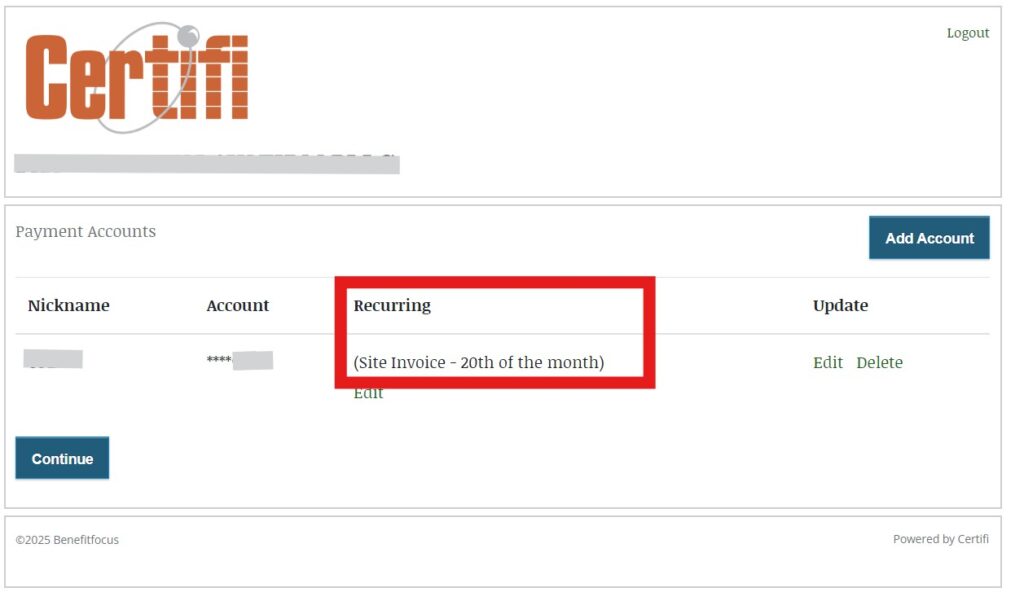
Please ensure the recurring indicator displays as intended:
If you selected the option for Recurring Payments you would see an indicator underneath the Recurring heading that says “(Site Invoice- 20th of the month)”.
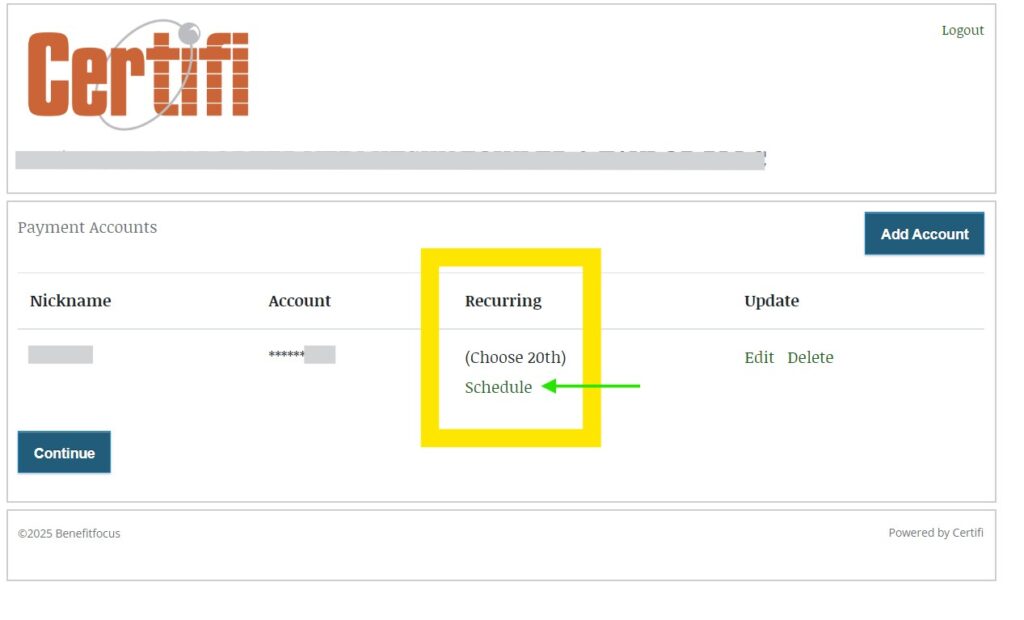
If the indicator is blank or says “Choose 20th” such as in the example below, the account is not set up on recurring payments.
The “Schedule” link marked by the green arrow can be clicked and the prompts followed to change the account to recurring if desired.
If making a One-Time Payment: Click “Continue” button to be taken back to the Payment Portal Page
- Payment has ***NOT*** been submitted at this point if you are making a one-time payment.
- Please resume making a one-time payment by following the remainder of instructions at Step #3: How do I make a One-Time Payment? | Lawyers Insurance Agency
If you wish to edit or delete the account at any point, please click on “Manage Accounts” from the Payment Portal and select “Edit” or “Delete” in the Update column beside the account.
Note the ACH company id: 9889091401 will be the originator for ACH transactions. Please update ACH authorizations with your bank to avoid disruptions in payment processing.